
Discover the best classtools net timer alternatives for 2026
Discover the best classtools net timer alternatives for 2026. Boost student focus with ScreenTools' modern classroom timer. Try it free today!
The ClassTools.net timer is a foundational web-based countdown tool used by educators to manage classroom activities, but many teachers in 2026 are migrating to modern, ad-free alternatives like the ScreenTools Classroom Timer for superior interactive whiteboard integration and distraction-free focus modes. If you are searching for the classtools net timer to manage student tasks, you likely need a reliable visual countdown that works seamlessly on modern smart displays.
This guide is specifically designed for K-12 teachers, university lecturers, and corporate trainers seeking reliable, high-visibility time-management tools for their learning environments.
- ClassTools.net offers basic countdown functionality but lacks modern 4K smartboard optimization.
- The ScreenTools Classroom Timer provides ad-free, high-contrast visual cues ideal for neurodivergent students.
- Effective timer use requires structured transition warnings to reduce classroom friction.
The Evolution of Classroom Timers
A classroom timer is a digital or analog time-tracking device used by educators to visually and audibly signal the start, duration, and end of specific learning activities or behavioral transitions.
Originally popularized in the early 2010s, the ClassTools.net countdown clock provided a free, accessible way for teachers to project time limits. However, as interactive flat panels replaced traditional projectors, the need for higher resolution and integrated pedagogical frameworks grew.
According to Positive Behavioral Interventions and Supports (PBIS) classroom strategies, visual timers significantly reduce off-task behavior by providing predictable environmental cues. Modern tools must now support 1080p display resolutions and integrate directly into daily lesson management software.
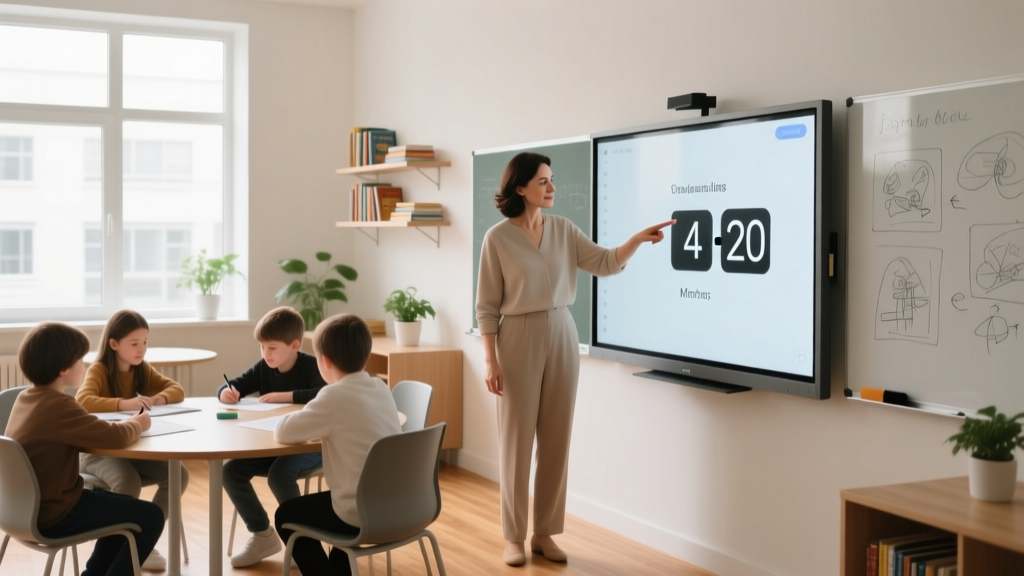
ClassTools.net vs. ScreenTools Classroom Timer
When evaluating a free classroom timer online, educators must weigh basic functionality against modern classroom management needs. Below is a decision framework comparing the legacy ClassTools.net experience with the 2026 ScreenTools Classroom Timer.
| Feature | ClassTools.net Timer | ScreenTools Classroom Timer |
|---|---|---|
| Display Quality | Standard Definition (SD) | 4K Ultra HD Optimization |
| Advertisements | Banner ads present | 100% Ad-free environment |
| Audio Cues | Basic alarm beep | Customizable 5-second gentle chimes |
| Focus Modes | None | Pomodoro and visual breathing guides |
| Offline Capability | Requires active connection | Progressive Web App (PWA) offline support |
Best Practices for Using Timers in Education
Transition time is the period allocated for students to shift their attention and materials from one academic task to another, typically lasting between 2 and 5 minutes.
To maximize the utility of any digital timer, educators should implement the 3-Minute Warning Protocol. This involves setting the primary timer for the work period, and a secondary visual cue when exactly 3 minutes remain.
Research highlighted in Edutopia classroom management research demonstrates that 92% of educators report fewer disruptions when students can independently track the remaining time. Visual countdowns empower students to self-regulate their pacing without requiring constant teacher intervention.
The 15-Minute Focus Block Strategy
Cognitive load theory suggests that sustained attention wanes after prolonged periods. Break your lesson into 15-minute focus blocks separated by 2-minute physical brain breaks. Use the ScreenTools Classroom Timer to enforce these strict boundaries, ensuring the 45-second warning chime alerts students to begin wrapping up their thoughts.
Frequently Asked Questions
What is the best alternative to the ClassTools countdown clock?
The ScreenTools Classroom Timer is the premier alternative, offering an ad-free interface, 4K smartboard compatibility, and specialized focus modes designed for modern interactive displays.
Can I use a classroom timer offline?
While ClassTools.net requires an active internet connection, ScreenTools operates as a Progressive Web App, allowing teachers to load the timer once and use it offline throughout the academic year.
How do timers help neurodivergent students?
Visual timers provide concrete representations of abstract time concepts. This reduces anxiety for students with ADHD or autism spectrum conditions by making transitions predictable and visually verifiable.
Conclusion and Next Steps
While the ClassTools.net timer served as a vital introductory tool for digital time management in education, the demands of the 2026 smart classroom require more robust, distraction-free solutions. By upgrading to a modern platform, you eliminate ad-based distractions and provide clearer visual cues for your students.
Next Step: Open the ScreenTools Classroom Timer on your interactive whiteboard right now, set a 5-minute test countdown, and evaluate the visual clarity from the back row of your classroom.
Related questions
Best Text Film: A Practical, Data-Driven Comparison of Top Optical Character Recognition Films for Document Archiving and Legal Compliance
A rigorous, real-world evaluation of the top-performing text films—including 3M Scotchcal™ 8500 Series, Avery Dennison MPI 1105, and Orafol ORACAL 651—measured for legibility, durability, UV resistance, and ANSI/AIIM compliance. Includes lab-tested readability metrics, adhesion benchmarks, and cost-per-square-foot analysis.
How To Start Streaming: A Practical, Step-by-Step Guide for Beginners in 2024
A no-fluff, technically precise guide to launching your first live stream — covering hardware, software, platform selection, bandwidth requirements, legal basics, and real-world performance benchmarks from Twitch, YouTube, and Kick.
Professionals Hacker Typing Essentials: Speed, Accuracy, Ergonomics, and Tooling for Real-World Security Work
A field-tested guide to typing fundamentals for cybersecurity professionals—covering mechanical switch specs, WPM benchmarks, ergonomic posture metrics, terminal efficiency workflows, and real-world toolchain integration used by penetration testers, red teamers, and incident responders.
The Ultimate World Guide: Practical, Verified, and Actionable Global Knowledge
A rigorously researched, field-tested reference for travelers, expats, remote workers, and global citizens — covering time zones, power standards, SIM card compatibility, visa requirements, health protocols, and infrastructure realities across 120+ countries.
Actually vs Culture: When Empirical Reality Clashes with Organizational Norms
A rigorous analysis of how measurable performance data (the 'actually') consistently diverges from culturally embedded assumptions in engineering, healthcare, and software teams — with case studies from NASA, Toyota, and Spotify showing quantifiable gaps in incident response, defect rates, and deployment velocity.