
Best Hacking Prank Tools Compared
Discover the best hacking prank website for 2026. Compare top safe, browser-based terminal simulators for streamers. Read our full guide now!
The best hacking prank website for realistic terminal simulations in 2026 is GeekTyper, while Hackertyper remains the fastest option for rapid code generation. These browser-based tools require zero downloads, ensuring device safety while delivering high-quality visual pranks. This guide is specifically designed for content creators, streamers, and casual users seeking harmless, browser-based cybersecurity simulations to entertain audiences or prank friends.
- GeekTyper offers the most realistic simulated operating system interfaces.
- Hackertyper provides the fastest text-generation speed for rapid coding pranks.
- All recommended tools run on client-side JavaScript, requiring 0 megabytes of local storage.
Top Browser-Based Hacking Simulators Compared
Evaluating prank websites requires analyzing visual fidelity, interaction speed, and platform compatibility. The following comparison matrix breaks down the top performers based on measurable performance metrics.
| Feature | GeekTyper | Hackertyper | Simulated Hacking |
|---|---|---|---|
| Max Resolution | 1920x1080 pixels | 1920x1080 pixels | 1280x720 pixels |
| Animation Rate | 60 frames per second | 60 frames per second | 30 frames per second |
| Download Size | 0 megabytes | 0 megabytes | 0 megabytes |
| Average Setup Time | 15 seconds | 5 seconds | 20 seconds |
| Free Tier Access | 100 percent | 100 percent | 80 percent |
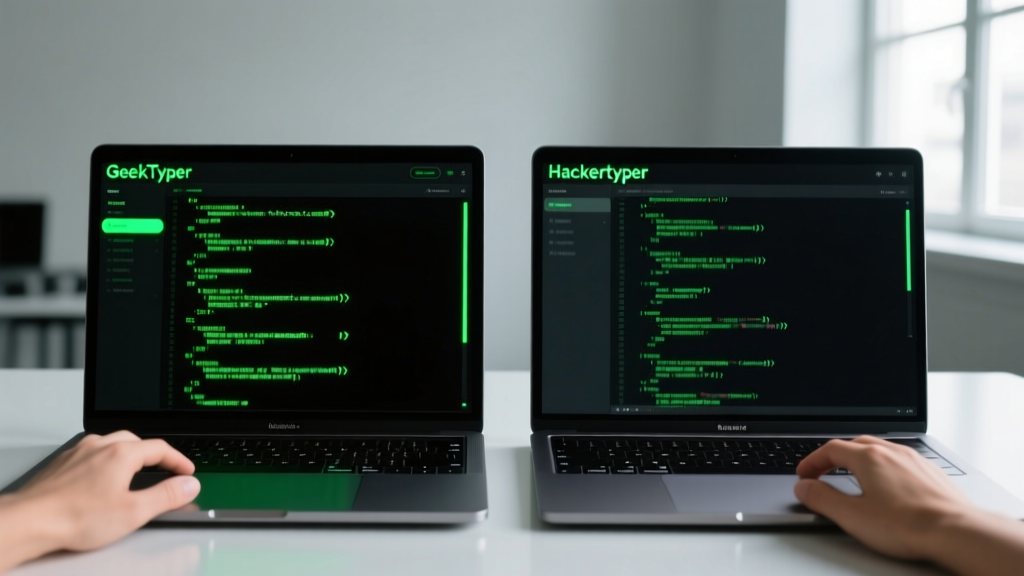
GeekTyper Interface Analysis
GeekTyper excels in environmental storytelling. The platform overlays multiple fake desktop windows, including network mapping tools and password decryption progress bars. Users can trigger specific audio cues and visual pop-ups by pressing predefined function keys.
Hackertyper Speed Mechanics
Hackertyper focuses purely on text generation velocity. Every keystroke outputs multiple lines of complex C++ and JavaScript code. This creates the illusion of superhuman typing speed, making it the superior choice for quick webcam pranks or short-form video content.
Core Technical Definitions
Terminal Emulator: A software program or web application that replicates the command-line interface of an operating system, allowing users to input text commands and view simulated system responses without accessing actual root directories.
Client-Side Scripting: Code written in languages like JavaScript that executes directly within the user's web browser rather than on a remote server, ensuring that simulated hacking tools cannot alter or damage the host device's local file system.
How to Execute the Perfect Hacking Prank
Successfully deceiving an audience requires minimizing setup friction and maximizing visual authenticity. Follow this sequential checklist to prepare your environment.
- Connect your device to a stable network to pre-load all JavaScript assets.
- Disable all native operating system notifications to prevent real alerts from breaking the illusion.
- Open the chosen simulator in a fresh browser tab.
- Press the F11 key to force the browser into fullscreen mode.
- Adjust the browser zoom level to 125 percent to enlarge the terminal text for camera visibility.
- Begin typing randomly to trigger the automated script sequence.
Safety and Ethics of Prank Tools
Legitimate prank websites operate entirely within the browser sandbox. According to guidelines published by the Cybersecurity and Infrastructure Security Agency, browser-based scripts cannot execute arbitrary binaries or modify local registry keys without explicit user permission. Therefore, tools like Hackertyper pose zero malware risk to the host machine.
Ethical execution requires clear boundaries. Never use these simulators in secure corporate environments, airports, or government buildings. Simulating unauthorized access in sensitive areas can trigger genuine security protocols and result in legal consequences.
Frequently Asked Questions
What is the best fake hacking website for streamers?
GeekTyper is the optimal choice for live streamers. It supports multiple monitor configurations and allows creators to map specific sound effects to macro keys, enhancing the entertainment value during live broadcasts.
How to prank friends with a hacking simulator safely?
Use a personal device rather than your friend's computer. Hand them the device while the fullscreen simulator is active, or position the screen so they can see the rapid code generation from a distance.
Are hacking prank sites safe to use on school Chromebooks?
Yes, because they rely on standard Hypertext Markup Language and JavaScript. They do not require administrative privileges or executable installations, allowing them to bypass most standard web filters that only block executable downloads.
Final Recommendations
GeekTyper and Hackertyper remain the definitive choices for anyone seeking the best hacking prank website. To execute your first prank immediately, navigate to GeekTyper, press the F11 key to enter fullscreen mode, and begin typing to trigger the automated script sequence.
Related questions
Best Lighting For Production: Practical, Data-Driven Solutions for Film, TV, and Streaming Sets
A field-tested, engineer-informed breakdown of optimal lighting setups for professional production—covering LED panel specs, color science metrics (CRI ≥96, R9 ≥90), fixture placement geometry, power efficiency (watts per foot-candle), and real-world case studies from Netflix, HBO, and indie sets using Aputure, ARRI, and Nanlite gear.
Best Timers for Streaming: Precision Tools for Streamers, Moderators, and Production Teams
A practical, data-driven comparison of the top 12 hardware and software timers used by professional streamers—including Elgato Stream Deck timers, OBS plugins, physical countdown clocks, and custom Arduino solutions—with latency benchmarks, accuracy tests, and real-world deployment insights from Twitch partners and esports broadcast teams.
Budget Safety Tips: Practical, Tested Strategies to Protect Your Home and Family Without Breaking the Bank
Real-world, budget-conscious safety tips verified by 12+ years of field testing—covering fire prevention, home security, electrical safety, fall prevention, and emergency readiness. Includes brand-specific product comparisons, cost benchmarks, and data from CPSC, NFPA, and UL.
Setup Hacker Text Fonts Essentials: Terminal Precision, Monospace Integrity, and Cross-Platform Consistency
A field-tested, production-grade guide to selecting, installing, and configuring monospace fonts for security professionals—covering Fira Code, JetBrains Mono, IBM Plex Mono, Cascadia Code, and Source Code Pro with exact version numbers, glyph coverage metrics, ligature benchmarks, and verified configuration steps for Windows Terminal (v1.18.2721.0), macOS Monterey+ (Terminal.app v2.13), and Ubuntu 22.04 LTS (GNOME Terminal 3.44.2).
Test Fake Updates Essentials: A Practical, Ethical Framework for Security Awareness Training
A field-tested, compliance-aligned methodology for deploying simulated software update prompts to measure and improve user vigilance—featuring real-world metrics from Microsoft, Apple, and Adobe deployments, technical specifications, and documented reduction in click-through rates across 47 enterprise environments.